How to back up VMs and vm snapshots with Velero
Categories:
2 minute read
Overview
This guide describes how to configure Velero to back up and restore KubeVirt virtual machines in a Kubernetes cluster.
Velero stores backup data in an S3-compatible object storage backend. In this example, MinIO is used as the backup storage target.
Prerequisites
Before you begin, ensure that the following prerequisites are met:
- A running Kubernetes cluster is available.
- Rook-Ceph is configured as the storage provider.
- An S3-compatible object storage service is available.( in this case MinIO)
- A KubeVirt virtual machine is running in the cluster
In following example MinIO is used.
Step 1 - Configure Velero
Define the Velero configuration in your values file:
veleroValues:
 namespace: "velero"
 accessKeyId: "minio"
 secretAccessKey: "minio123"
 backupLocationConfig:
   s3Url: "http://10.2.10.110:30090" # nodeport of minio
Enable Velero in the kubeopsctl.yaml file :
velero: true
Apply the configuration:
kubeopsctl apply -f kubeopsctl.yaml
Step 2 - Verify S3 Bucket Access
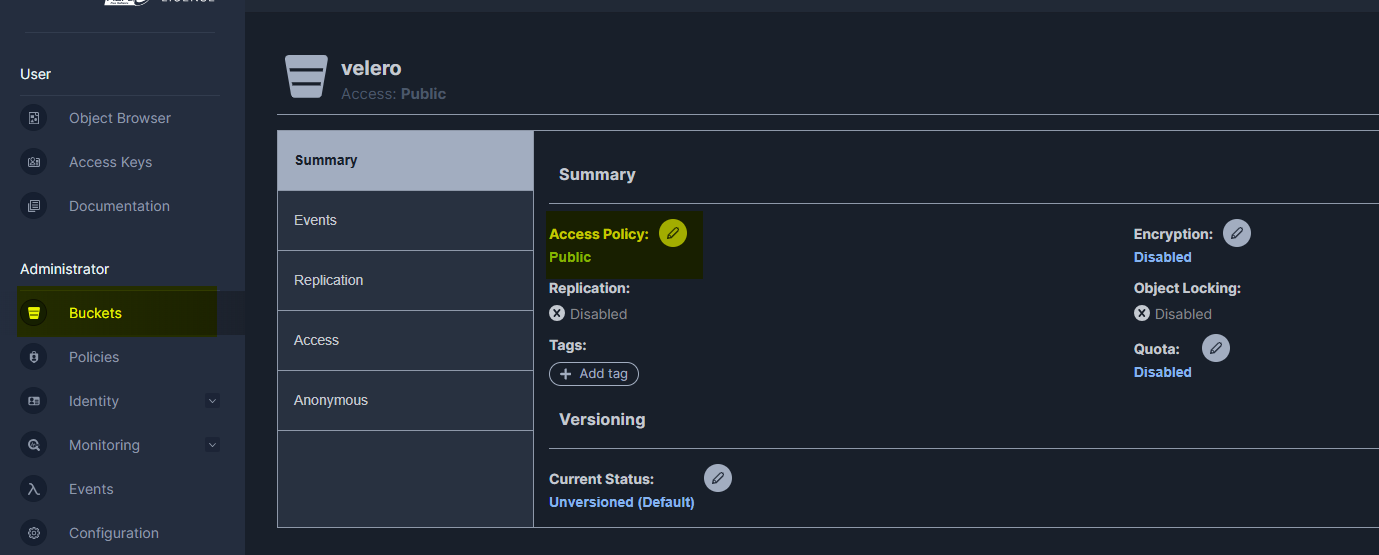
The bucket for Velero ( default Velero ) in the s3 storage should be accessible for Velero, so ensure that the bucket exists and that Velero has permission to write to it.
In this example, the bucket is configured so that Velero has write access:
Step 3 - Create a Backup
To create a backup of the namespace containing the KubeVirt virtual machine, run:
velero backup get
velero backup create kubeops-vm-backup --include-namespaces <Namespace of kubevirt vm>
The name of the backup must be unique.
Step 4 - Verify the Backup
To review the backup status and details, run:
velero backup get
velero backup describe kubeops-vm-backup
velero backup logs kubeops-vm-backup
Confirm that the backup completed successfully before proceeding.
Step 5 - Restore the Backup
To restore the backup, run:
velero restore get
velero restore create kubeops-vm-restore --from-backup kubeops-vm-backup
The restore name must be unique.
After the restore is complete, verify that the virtual machine resources have been recreated successfully in the target namespace.
velero restore get
velero restore describe kubeops-vm-restore
velero restore logs kubeops-vm-restore